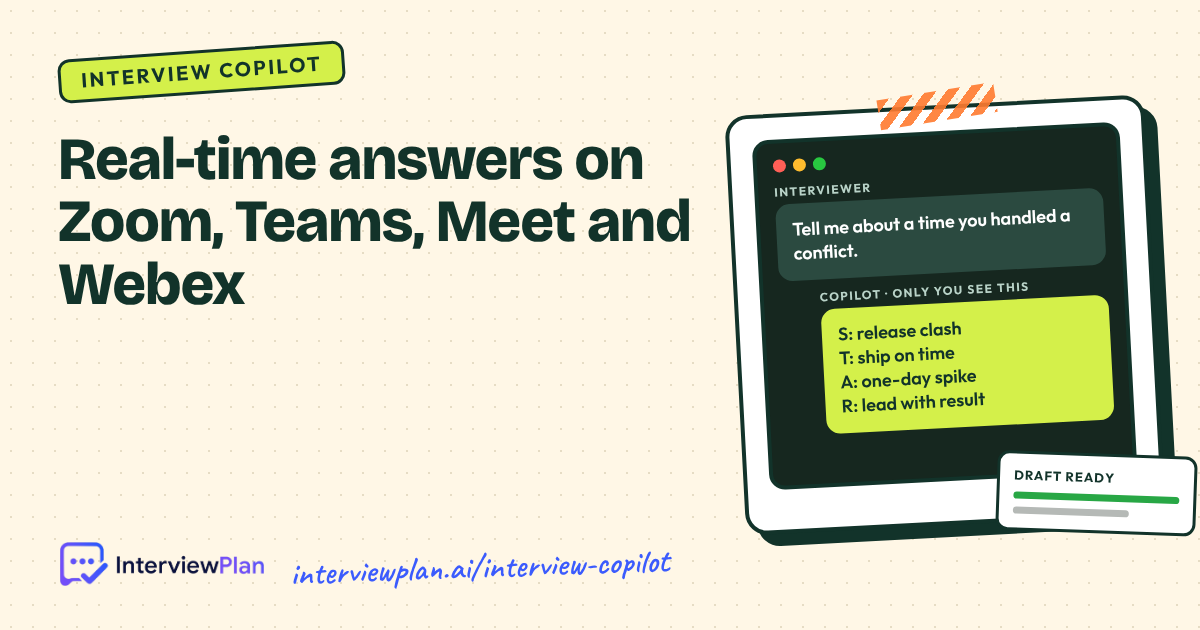
An AI interview copilot listens to your live interview and shows you short, structured answer prompts while you talk. InterviewPlan's copilot works on Zoom, Microsoft Teams, Google Meet, Cisco Webex and phone calls. It drafts STAR answers from your own résumé on a private overlay only you can see. It costs $7 an hour, and the first 5 minutes are free.
Start free: 5 live minutes, no card needed
What an AI interview copilot is, in plain words
Think of it as very good notes that keep up with the conversation.
When the interviewer asks "Tell me about a time you handled a conflict", the copilot hears the question, finds the matching story in your résumé, and shows it as four short lines: the Situation, the Task, the Action and the Result. You glance, you remember, and you tell the story in your own words.
It is not a script, and it is not someone else answering for you. It can only work with what you gave it: your résumé, your notes and your real experience. If a story is not in there, it will not invent one.
How it works, step by step
Upload your résumé and, if you like, the job description and your own prep notes.
Open the overlay before the call. It sits beside your meeting window and is visible only on your screen.
Join your interview on Zoom, Teams, Meet, Webex or a phone call, as normal.
The copilot transcribes the call with speaker labels, so it knows which line was the interviewer's question and which was your answer.
A STAR draft appears in under a second [confirm], built from your résumé. Follow-up questions such as "How did you measure that?" get their own draft.
After the call, review it. The session keeps the transcript and each suggestion pinned to the moment it appeared. You can delete any session whenever you like.
Where it works
Platform | Notes |
|---|---|
Zoom | Desktop app and browser |
Microsoft Teams | Desktop app and browser |
Google Meet | Browser |
Cisco Webex | Desktop app and browser |
Phone interviews | Uses your computer's audio |
These five are the headline platforms. See all integrations for the others, including coding platforms. Setup guides for each: Google Meet, Microsoft Teams, Zoom and Webex.
What it does in each type of round
Behavioral rounds. STAR prompts from your own stories, with the Result first, because that's the part people forget under pressure.
Technical and coding rounds. For data structures and algorithms questions it outlines an approach first, then code, then time and space complexity. For system design it lists requirements, scale and failure modes to cover.
Phone screens. Short prompts for "walk me through your résumé", salary expectations and notice period questions.
Panel interviews. Speaker labels track who asked what, so the draft answers the right person's question.
Interviews in other languages. It transcribes and drafts in more than 32 languages.
What it costs
Plan | Price | What you get |
|---|---|---|
Free | $0 | 5 live copilot minutes and 100 AI credits, no card needed |
Interview Copilot | $7 per hour | 60 live minutes and 100 AI credits per hour. Hours and credits never expire |
Job Support | $7 per hour | The same live help for meetings and tickets in your first 90 days of a new job |
Enterprise | As per requirement | For bootcamps, universities and teams, billed by invoice |
Prices in USD, taxes included, as listed on the pricing page on 9 November 2026. There is no monthly subscription. Buy hours when an interview is booked.
When you should not use one
We'd rather you hear this from us.
When the employer says no. Some companies state that candidates may not use AI tools during interviews. Some online assessments monitor your screen. Read the invitation and the rules. If AI help is not allowed, don't use it, and practise with a mock interview instead.
When you haven't prepared. The copilot draws on your résumé and your notes. If you don't know your own projects, a prompt won't save the follow-up questions.
As a replacement for you. It shows prompts, not lines to read out. Interviewers notice when someone reads. Glance, then talk.
For anything that misrepresents who is interviewing. InterviewPlan is for you, in your own interview, in your own words. Nobody else should ever take an interview in your place.
For the longer version, read is using an AI interview copilot cheating?.
How it compares
There are several AI interview assistants, including Final Round AI, LockedIn AI, ParakeetAI and Verve AI. Some offer features InterviewPlan does not. For example, Final Round AI has a larger library of company-specific mock interviews. InterviewPlan's differences are hourly pricing with no subscription, answers drawn from your own résumé, and a plain policy on when not to use it.
See the side-by-side comparisons: InterviewPlan AI vs Final Round AI, InterviewPlan AI vs Verve AI and LockedIn AI vs Final Round AI vs InterviewPlan AI.
[Placeholder: check the Final Round AI example against their current site on the day of publishing. Swap in a different, accurate advantage if it has changed.]
Privacy
Your résumé, notes and session transcripts belong to you. You can delete any session at any time. Read the security page and the privacy policy for how data is stored and processed.
Questions people ask
Can the interviewer see the copilot?
The overlay shows only on your screen. If you share your screen during the interview, close or move the overlay first, as you would with any other private window.
Does it work for coding interviews?
Yes. It outlines an approach, code and complexity for algorithm questions, and requirements and trade-offs for system design.
Do I need to install anything?
[Confirm: desktop app, browser extension or web app, and for which platforms.]
What happens to my free minutes?
You get 5 live minutes and 100 AI credits when you sign up. They never expire, and any hours you buy are added on top.
Is it the same as ChatGPT?
No. ChatGPT answers what you type. The copilot listens to the live call, knows who asked what, and drafts from your résumé in under a second [confirm]. See InterviewPlan AI vs ChatGPT.
Try it before your real interview
Run your 5 free minutes in a mock interview first, so the overlay feels normal before it matters.